Workflow Automation Tools – Improve Efficiency, Communication & Organizational Procedure
What is Workflow Automation?
Workflow automation is defined as the process of automating business processes. This can be done by using software or a combination of human work and software. Workflow automation can help reduce costs, increase productivity, and improve customer service. Microsoft Power Automate, part of the Microsoft 365 suite, is an example of a tool that automates repetitive tasks and business processes.
AI-powered Workflow automation is a quick and easy way to achieve your desired outcome efficiently, consistently, and accurately. When should a business consider automation? Why does your company need to adopt workflow automation? Platforms like Zapier and HubSpot CRM can automate tasks such as customer relationship management, streamlining operations and improving efficiency.
The term workflow is not relatively new to the world of business and organizations are adopting them in their style. When you have many tasks to manage and lots of employees split into multiple teams there is bound to be some miscommunication, delay in work, and lack of quality. Workflow automation tools help reduce manual work and streamline operations, making it easier to manage complex processes. Sales and marketing workflow tools, for instance, make data from prospects and customers easier to manage, enhancing overall efficiency.
All these most widely recognized issues can be sorted out in the best manner by using top workflow automation tools like . Customer service workflow tools, for example, can auto-assign tickets to agents and send auto-replies to common questions, ensuring faster and more consistent responses.
The workflow tool has a couple of pre-defined templates for popular tasks done in an organization and will also allow you to create custom templates that suit your office’s requirements. Many workflow automation tools also offer pre-built templates, enabling users to get started quickly without building workflows from scratch. Workflow tools in human resources, for instance, help automate documentation and reduce administrative oversight, making HR processes more efficient.
At the initial stage, implementing a workflow automation tool may sound difficult but the benefits easily outweigh the effort you put into it. For non-technical users, simple automations are easy to set up and manage, while more complex workflows can be configured as needed.

How Workflow Automation Works?
Workflow automation involves the use of technology to automate and streamline manual and repetitive tasks in a business process, making it an essential facet of threat exposure management. Modern workflow automation platforms empower users to build, orchestrate, and manage automations that can scale efficiently across business operations, leveraging AI and integrations to drive productivity. Real-time reporting with better visualization is a key benefit of workflow automation, providing actionable insights for continuous improvement. The basic steps involved in workflow automation are as follows:
Identify the Workflow:
The first step in workflow automation is to identify the business process that needs to be automated. This can be a process that involves manual tasks, such as data entry or file management, or it can be a more complex process that involves multiple steps and stakeholders. Identifying the right workflows to automate is essential to optimize processes and drive efficiency.
Map the Workflow:
Once the process has been identified, it needs to be mapped out in detail. This involves breaking down the process into smaller, manageable steps and identifying the inputs, outputs, and dependencies for each step. This helps to identify the tasks that can be automated and the tools that can be used to automate them, as well as to determine the specific automation capabilities required for each step.
Identify the Automation Tools:
The next step is to identify the automation tools that can be used to automate the tasks in the workflow. Integration with other tools and different apps is often essential for seamless workflow automation, enabling these solutions to connect multiple software applications and streamline processes. This can include software programs, scripts, or robotic process automation (RPA) tools.
Design the Workflow Automation:
Once the tools have been identified, the workflow automation needs to be designed. Customizable workflows allow organizations to tailor automation logic to their unique business requirements, enhancing collaboration and efficiency. This involves developing scripts or programming logic to automate the tasks in the workflow. The automation logic needs to be designed to take into account the inputs, outputs, and dependencies identified in the workflow mapping process.
Implement the Workflow Automation:
Once the workflow automation has been designed, it needs to be implemented. Configuring the automation tools enables organizations to automate tasks efficiently across systems. This involves setting up the automation tools to execute the automation logic and integrating them with the systems and applications that are involved in the workflow.
Test the Workflow Automation:
Once the workflow automation has been implemented, it needs to be tested to ensure that it is working correctly. This involves running the automation logic on test data to ensure that it is producing the expected outputs and that there are no errors or bugs in the logic.
Monitor and Maintain the Workflow Automation:
Finally, the workflow automation needs to be monitored and maintained. This involves tracking the performance of the automation, identifying any issues or errors that arise, and making updates and changes to the automation logic as needed. Monitoring and maintaining an AI workflow can also leverage AI-driven insights to proactively detect issues and optimize performance, ensuring that intelligent, multi-step processes continue to run smoothly.
Therefore, workflow automation involves a systematic approach to automating business processes, from identifying the process that needs to be automated to designing and implementing the automation logic and monitoring and maintaining the automation over time. By automating routine tasks, organizations can improve efficiency, reduce errors, and free up their employees to focus on more strategic and creative work.
What is Workflow Automation software?
An AI-powered workflow automation software is a tool that streamlines and optimizes any given organizational workflow process. A workflow automation software will take over the repetitive tasks within a workflow, improving the efficiency of the entire process. Workflow automation software helps boost productivity and overall workplace productivity by reducing manual effort, allowing teams to focus on higher-impact projects.
Using software for workflow automation provides its users with a space where every member of the team can work harmoniously. Moreover, the employees are given an environment where they can work productively.
This productive environment nurtures and strengthens the involvement of these employees by giving them the needed visibility and access to the complete workflow.
An automated setup will empower an organization to focus on the impact rather than wasting energy and resources on any mundane processes. Workflow automation software can also be customized according to the desired objectives.
Who Uses Workflow Automation Software?
The tremendous impact that workflow automation software created has changed the way business processes are carried out. Undoubtedly, any organization, small, medium, or large, can acquire surplus benefits by implementing automation software. This tool can be incorporated across departments like marketing and sales, human resources, finance, etc. Workflow automation software is also widely used across various industries to streamline operations and improve outcomes. The ultimate goal is to enjoy the following advantages:
- Faster operations
- Increase accuracy
- Boost efficiency and productivity
Organizations that are still based on the traditional setup, where they rely on human labor, can change the dynamics of business processes with this simple software.
Reasons Why You Should Use Workflow Automation Tools
Here are some of the amazing benefits that will help you get a better insight into your own company and how workflow software tools can bring about change at every level. By freeing up employees from repetitive tasks, workflow automation enables teams to focus on problem solving and innovation. These strong reasons prove why you need workflow automation tools.
1. Wasted Effort and Time on Redundant Tasks
This could be a very familiar claim for you because redundant tasks shouldn’t be handled by your employees. These tasks often require significant manual effort, which can be minimized with workflow automation tools. It is highly time-consuming, wastes skilled employees’ capabilities, and can easily be automated by workflow management software rather than doing it manually.
2. Slackened Customer Engagement
Customers see your brand from a completely different perspective. All they see is a quick or delayed service provider.
By leveraging workflow automation tools, you can enhance service delivery by ensuring timely and consistent customer interactions, which leads to improved satisfaction and operational efficiency.
Once you integrate workflow management software, you can easily witness the slowdowns and bottlenecks in your process. It gives you better insight into your business.
3. Overload On Top Management
Micromanagement is a problem in disguise because a lot of managers and team leaders assume they have to micromanage every employee to achieve the desired results.
However, with the help of productivity tracking software, managers can monitor progress without hovering, allowing employees to take ownership of their tasks.
Most employees like to take responsibility if given an opportunity and it will also free up time for top-level management to focus on overall organizational growth than managing each person.
4. Lack of Accountability
Accountability is what it’s all about because whenever someone does a job they shouldn’t blame any mistakes on another person or team.
Workflow tools will keep track of each person involved in a project and they are expected to take credit or fix any mistakes if they happen in their vicinity.
5. Lack of Communication
In every organization, lack of communication leads to delayed work and errors in tasks completed.
The workflow tool will finally bridge the gap and make it easier to send or receive messages. Everything can be done in the form of comments and approvals are done automatically. Managers will receive notifications if they don’t respond in time and delegations are much easier. Workflow automation tools also facilitate cross-functional collaboration by enabling seamless communication and transparency across different teams, ensuring everyone stays aligned and efficient.
Features of Workflow Automation Tools
There is no shortage of workflow automation tools in the market. Choosing the best workflow management tool for the unique needs of your business is critical for business success.
Modern workflow automation platforms now offer advanced features such as AI automation, AI workflows, and AI agents. These tools empower users to build intelligent, multi-step AI agents and AI apps that leverage the latest AI models and natural language processing. With these capabilities, businesses can create, customize, and deploy autonomous workflows that streamline complex processes and enhance efficiency. AI-native workflow automation tools offer more advanced capabilities compared to traditional automation tools like Zapier, enabling more sophisticated and scalable solutions.
Here is a list of features you must look for in workflow automation software:
Ease of Use/Build
The decision to automate your workflow is a significant one for the business. The ease of building and using the software is a key must-have feature of automation software. The software must help you build workflows easily using a visual drag-and-drop form builder.
A low-code workflow automation software is easy and simple to build. Even complex processes can be represented through a visual flow chart, which is the foundation for automating process workflows. Despite being user-friendly, some workflow automation tools are also incredibly powerful, supporting both simple and advanced automation needs.
Cloud-based
Having a cloud-based business process management software (BPM) is better compared to on-premise solutions. Accessibility, reliability, and data security for web-based automation software are better than on-premise software. Data security and operability are better on the cloud.
Third-party Integration
Workflow automation tools must seamlessly integrate with third-party applications like ERP, CRM, etc., through API tools like Zapier. Many workflow automation platforms also support integration with Google Sheets for seamless data management and offer web scraping capabilities to automate data collection from websites. CRM solutions with strong integration capabilities are essential for effective workflow automation.
Customizability
Automated workflows must allow flexible customizations as per specific business needs. From simple to complex processes, the process workflow must be able to handle any type of workflow.
Reporting and Analytics
The data recorded by the workflow provides key business insights. Centralized access to data reports and process analytics empowers businesses with deeper process insights for process improvement and business optimization. Reports and analytics must be easily visible on a user-friendly interface.
Data Security
The workflow automation tool must provide the highest level of security for the data. End-to-end encryption of business data enables the safety and security of sensitive business data. Single sign-on (SSO) features help ensure secure and centralized user authentication, making it easier to manage access and maintain compliance across the organization.
Mobile App
The workflow automation tools must be mobile-friendly. The mobile app enables anywhere, anytime access to the process status and approvals.
Cost-effective Pricing
Workflow vendors usually price their workflow solutions based on the usage and number of users. The price must also include the cost of implementing, consulting, and supporting.
Cflow is a workflow automation tool that can set up workflows, and build forms and workflows within minutes. It comes with a rich feature set that creates workflows and automates tasks for key business functions like Human Resource Management, Sales, Finance, Administration and Facilities, IT, Marketing, and Purchases. Gumloop enables users to build AI-powered business automations using modular components in a drag-and-drop interface, further enhancing the customization and efficiency of workflows.
Download: Workflow Automation Ebook
How to Build an Automated Workflow
Building an automated workflow using workflow automation software involves several steps. Here is a detailed explanation of how to build an automated workflow using workflow automation software:
- Identify the Process to Automate (6.0.1):
Start by selecting the business process that you want to automate. This could be anything from employee onboarding to invoice approvals. - Define the Workflow (6.0.2):
Map out each step involved in the process. Breaking down the process into individual steps helps identify complex tasks that can benefit from automation, as well as simpler, repetitive actions. - Choose a Workflow Automation Tool (6.0.3):
Select a workflow automation platform that fits your business needs. Consider factors such as ease of use, integration capabilities, scalability, and pricing. - Design the Workflow (6.0.4):
Use the drag-and-drop workflow builder to visually design the workflow. Add steps, conditions, and actions as required. - Configure Workflow Steps (6.0.5):
Set up each step in the workflow, specifying triggers, actions, and conditions. Workflow automation software can handle both simple and more complex tasks, enabling organizations to automate intricate processes that require higher-level reasoning or multiple integrations. - Test the Workflow (6.0.6):
Run the workflow in a test environment to ensure it works as expected. Make adjustments as needed. - Deploy and Monitor (6.0.7):
Once testing is complete, deploy the workflow for use. Monitor its performance and gather feedback for continuous improvement.
Identify the process:
The first step in building an automated workflow is to identify the process that needs to be automated. This could be any business process that involves routine or repetitive tasks, such as data entry, file management, or customer support.
Define the workflow:
Once you have identified the process, you need to define the workflow. This involves breaking down the process into smaller, manageable steps and identifying the inputs, outputs, and dependencies for each step. You may need to consult with stakeholders to get a complete understanding of the workflow.
Choose a workflow automation software:
The next step is to choose a workflow automation software that meets your needs. There are many workflow automation software options available, so it’s essential to choose one that is designed for the specific type of workflow you are automating.
Create a workflow template:
Once you have chosen workflow automation software, you can create a workflow template. This is a visual representation of the workflow that you will be automating. You can use the drag-and-drop interface of the workflow automation software to create the template.
Configure the workflow steps:
Once you have created the workflow template, you need to configure the workflow steps. This involves setting up the automation logic for each step in the workflow. You can use workflow automation software to add actions, conditions, and triggers to automate the workflow.
Test the workflow:
Once you have configured the workflow steps, you need to test the workflow to ensure that it is working correctly. This involves running the workflow on test data to ensure that it is producing the expected outputs and that there are no errors or bugs in the logic.
Deploy the workflow:
Once the workflow has been tested, you can deploy it in the production environment. This involves configuring the workflow automation software to execute the workflow on live data and integrating the workflow with the systems and applications that are involved in the workflow.
Monitor and maintain the workflow:
Finally, you need to monitor and maintain the workflow to ensure that it continues to work correctly over time. This involves tracking the performance of the workflow, identifying any issues or errors that arise, and making updates and changes to the workflow as needed.
Building an automated workflow using workflow automation software can be a powerful way to improve efficiency and accuracy in your business processes. By following these steps, you can create an automated workflow that is efficient, accurate, and reliable.
Workflow Automation Benefits
Yes, workflow automation provides several benefits over manual processes, including: Enterprises leverage workflow automation tools to meet evolving market demands while increasing efficiency at scale.
1. Increased efficiency:
Automating repetitive tasks can save a significant amount of time and reduce the potential for errors. This allows employees to focus on higher-value tasks and helps the organization to become more productive.
2. Compliance:
Workflow automation can help ensure that business processes are compliant with relevant policies and regulations. This is because automated workflows are designed to follow specific rules and guidelines, and they can enforce these rules consistently across all instances of the workflow.
3. Improved accuracy:
Automation reduces the potential for human error, which can lead to costly mistakes. Automated workflows ensure that tasks are completed consistently and accurately, reducing the likelihood of errors and increasing the quality of the output.
4. Reduction in the number of approval cycles:
Workflow automation can streamline approval cycles by automatically routing tasks and approvals to the appropriate individuals or teams. This can reduce the time it takes to complete a process, which can improve overall productivity and efficiency.
5. Reduction in manual processing:
Automated workflows can reduce the need for manual handling of documents, data, and other types of information. This can save time and reduce the risk of errors or data loss.
6. Enhanced communication:
Workflow automation can improve communication between different teams or departments involved in a process. Automated workflows can send notifications and updates to relevant parties, which can help ensure that everyone is informed and on the same page.
7. Cost savings:
Automating workflows can lead to significant cost savings over time. By reducing the need for manual labor, organizations can lower their staffing costs and improve their bottom line.
8. Enhanced visibility:
Workflow automation can provide greater visibility into the status of a process or task. This can help managers and other stakeholders monitor progress and identify potential bottlenecks or issues that need to be addressed.
9. Employee satisfaction:
Automated workflows can reduce the amount of repetitive or mundane work that employees need to perform. This can help improve job satisfaction and reduce the risk of employee burnout.
10. Process improvement:
Workflow automation can provide data and insights into how a process is performing. This data can be used to identify areas for improvement and optimize the workflow over time.
11. Better managing your workloads:
Automated workflows can help managers allocate tasks and workloads more effectively. This can help ensure that employees are working on tasks that are aligned with their skills and capabilities, which can improve overall productivity and quality.
12. Improved customer service:
Automated workflows can help organizations to provide better customer service. By automating tasks such as order processing and customer support, organizations can respond more quickly and effectively to customer needs, leading to increased satisfaction and loyalty.
13. Minimal errors:
Automated workflows can help reduce the risk of errors or mistakes in a process. This is because automated workflows are designed to follow specific rules and guidelines, and they can enforce these rules consistently across all instances of the workflow.
Workflow Automation Examples
If you take any workflow, you can witness that many tasks are common to all workflows of different processes, like email replies, task creation, data entry, review, approval, etc.
Automation exponentially elevates the expertise of these processes, making them more efficient than when done manually. Any kind of workflow can be automated using the right kind of tool. Here are some examples of where workflow automation can improve efficiency.
Invoice processing: The process of accounts payable not only data entry is optimized, but automation software will also carry out the reviewing and matching of the invoice as well. Gradually, the approval or rejection of the invoice can be performed on the same platform.
Automating the processing of invoices can help streamline accounts payable processes by reducing the amount of manual data entry required. The software can automatically scan invoices and extract relevant information to be processed in a company’s accounting system.
Data entry: Data entry, being the common task in almost all of the process workflow, is automated to make it extra efficient. Workflow automation can be used to automatically transfer data from one system to another, reducing the amount of time spent on manual data entry.
Order fulfillment: The order fulfillment process is made more efficient with automatic status updates after each stage. The traditional approach of order management is labor-intensive and complex, affecting the fluidity in communication and time delay.
With automation software, this complexity and limitations are removed. Automation can be used to manage the entire order fulfillment process, from order intake to shipping, with minimal human intervention.
Expense management: Money invested should be put to use wisely. Expense management is one such area that requires utmost attention and precision. Keeping track of all of the financial transactions with multiple clients can end up in bottlenecks.
Workflow automation software can help you avoid such scenarios. Workflow automation can be used to streamline the expense reporting process by automatically capturing and categorizing expenses, generating reports, and tracking reimbursements.
Recruitment: Hiring processes often extend over a long period due to the time invested in assessing and shortlisting the candidates. Without an automated system, the hiring managers have to spend time on each candidate individually to find the right fit for the criteria of the role. Automation can be used to manage the recruitment process, from resume screening to scheduling interviews, making the hiring process more efficient.
Performance tracking: A workflow automation platform can effectively monitor the performances of employees. Both the managers and the workforce will have access to the platform, where both of them can monitor everything, anytime and anywhere.
Workflow automation can be used to track employee performance, monitor progress, and provide feedback on goals and objectives.
Document management: Conventional documentation has always been paper-based. This method has reduced its trackability and maintenance. All the technological advancements that have occurred to date have more or less eliminated the involvement papers from many industries.
Automation is one such tech development that has successfully removed the use of paper for documentation in several industries. Automation can manage documents and files, including version control, tracking changes, and routing for approvals.
Travel booking: Travel bookings are always hectic and involve multiple bookings like travel, transport that may include flight, train, or a cab, and hotel stay. All these bookings are generally done separately on different platforms which induces a waste of time.
Automation can bring this all in one platform. Workflow automation can be used to manage travel bookings, including flights, hotels, and transportation, making the process more efficient and cost-effective.
Social media management: Most often planning and scheduling social media posts can seem like an off-track task when the employee invests this time in a more productive task.
This management can be seamlessly achieved through automation. Automation can be used to schedule social media posts, monitor engagement, and track performance across multiple platforms.
Healthcare management: As the healthcare industry demands to be the most efficient one, automation undoubtedly achieves this effortlessly. Proper planning and organizing are brought into patient management. Automation can be used to manage healthcare workflows, including appointment scheduling, patient intake, and insurance processing.
Project management: Managing a project involves a list of tasks from planning to final review of the completed project. A large number of employees are involved in any given project and hence there is a necessity to streamline these processes for better outcomes. Workflow automation can be used to manage projects, including task assignments, progress tracking, and budget management.
Here are the stages in a task-based workflow:
- Task Assignment
- Task-initiator Review
- Quality Assurance Review
- Project Manager Review
- Approval
Workflow automation offers a customizable workflow template that is readily available. The layered structure of the flowchart clearly defines each stage in a workflow. For example, for project management, the above task-based workflow will give a complete view of the process.
IT support: Customer management is a prime factor in a business. Depending on the size of the organization, this particular management can become challenging. To manage all the requests, tracking, and feedback, it is essential to shift to a system that can cancel this hurdle. Automation can be used to manage IT support requests, including ticket routing, resolution tracking, and user feedback.
Manufacturing processes: The manufacturing industry deals with several vendors to procure raw materials for manufacturing their products. Maintaining track of all the procurement processes increases the chances of mixing up or certain prospects ending up getting missed.
To negate this possibility automation can be implemented. Automation can be used to manage manufacturing processes, including production scheduling, quality control, and inventory management.
Sales pipeline management: Sales is the lifeline of any business. There is a need to be consistent at every stage of acquiring a client. Only errorless and smooth management of your prospects can achieve perfection in your sales.
Streamlining these processes is a simple process through automation. Workflow automation can be used to manage sales pipelines, including lead tracking, sales forecasting, and pipeline analytics.
Customer feedback: There is a humongous waste of time when customers are approached individually through messages and emails for their reviews or survey responses. Most of the time, these approaches remain unnoticed and hence unanswered.
Automation becomes an ideal solution to capture customer feedback on any platform. Automation can be used to capture and analyze customer feedback, including survey responses, social media comments, and online reviews.
Content creation: Managing content is essential to avoid unnecessary confusion and delays. The content creation process is made more efficient through workflow automation. Workflow automation can be used to manage content creation processes, including writing, editing, and publishing, for a more efficient and streamlined process.
Inventory management: Inventory management and tracking is quite challenging. Proper documentation regarding the movement of different materials needs to be assessed with accuracy. Automation can be used to track inventory levels, reorder supplies automatically, and keep stock levels optimized.
Legal document management: Being implemented in one of the most principal areas of any sector, automation has quite proven to be proficient in managing legal documents too. Workflow automation can be used to manage legal documents such as contracts and agreements, including version control, approval workflows, and digital signatures.
Quality control: An automated workflow for quality control will enhance the performance of the quality control team. This further improves the quality of the product or service gathering positive customer response and retention. Automation can be used to monitor quality control processes, track errors, and identify areas for improvement.
To dive deeper into advanced workflow automation examples and resources, explore our additional guides and expert insights.
Step-By-Step Guide to Workflow Automation
Workflows are a great way to automate your business; many tools can help you do so. Using workflow automation software like Cflow is the most popular way to create and manage your workflows. It provides an easy-to-use interface for automating tasks in a variety of industries and companies. You can automate the workflows by following these simple steps.
1. Choose The Right Applications
To automate your workflow, you must choose the right applications. You want to use a tool that is easy to use and understand by yourself and others in your company. Make sure the application has been tested for compatibility with multiple platforms so that it can be used on any device or operating system. Most importantly, pick an application that can be used by multiple people!
2. Prepare The Tooling
Once you’ve chosen an automation framework and a set of applications, it’s time to get started. You’ll need to create some tooling to be able to run your workflow on different devices, but there are many tools available for this purpose.
For example, suppose you’re creating a mobile application that interacts with other systems through APIs (application programming interfaces), then integrating that into your workflow will allow users on any device or platform with access to those APIs to use it. They don’t need to have any special software installed on their devices.
3. Pick An Automation Framework
A good automation framework should be easy to use and understand, have good documentation, and support all the applications you want to automate. The framework should also be compatible with your development environment (e.g. if you’re using Python).
4. Configure The Tooling
The next step is to configure the tooling. In this stage, you’ll be setting up your tooling so it can work in a particular way. Configuration involves setting up the tooling to work in a particular way, and this is done by using configuration files. Configuration files contain information about how you want your workflow automation process configured.
5. Create Your First Workflow
A workflow is a series of steps, each with its trigger and action. The trigger occurs when you want the workflow to run, usually because it’s something that happens naturally within your business or organization. For example:
- You’ve received an email from one of your customers asking for feedback on their new logo design.
- After reading through it, you decide this needs additional work before sending back their final version, as requested in their message. You’ll create a new task for them later on so they don’t have another opportunity to lose out on potential business because of missing deadlines (and possibly losing money).
6. Test Your Workflows
You should test your workflows on a small scale before testing them on a large scale. This allows you to ensure that each step of the workflow works as expected, and it also ensures that you don’t run into any unforeseen issues with your system.
When performing this type of test, remember to vary data to identify any patterns or anomalies in behavior.
For example, if one user’s input doesn’t match up with another user’s input (or vice versa), then this could indicate an error in one part of your code—and therefore invalidate all other parts!
It’s important not only to test with different users but also across different browsers/devices; if something causes problems when viewed by one device but not another, then we should know about it before implementing more complex solutions into production environments such as Amazon Web Services.
Comparison of the Top 20 Workflow Tools
Deciding on the right workflow automation tools for your business is by far the most challenging management task. The right workflow automation tool can clearly define your business processes and help you monitor and optimize your workflows.
Most of the workflow automation tools available in the market provide useful reports and analytics that help in tuning the workflow for achieving better business outcomes. We have curated a list of the best workflow automation tools in the market based on the must-have features discussed above. This comparison ought to help you choose the right tool for your business requirements.
1. Cflow – preferred workflow management software for small, medium, and enterprise companies
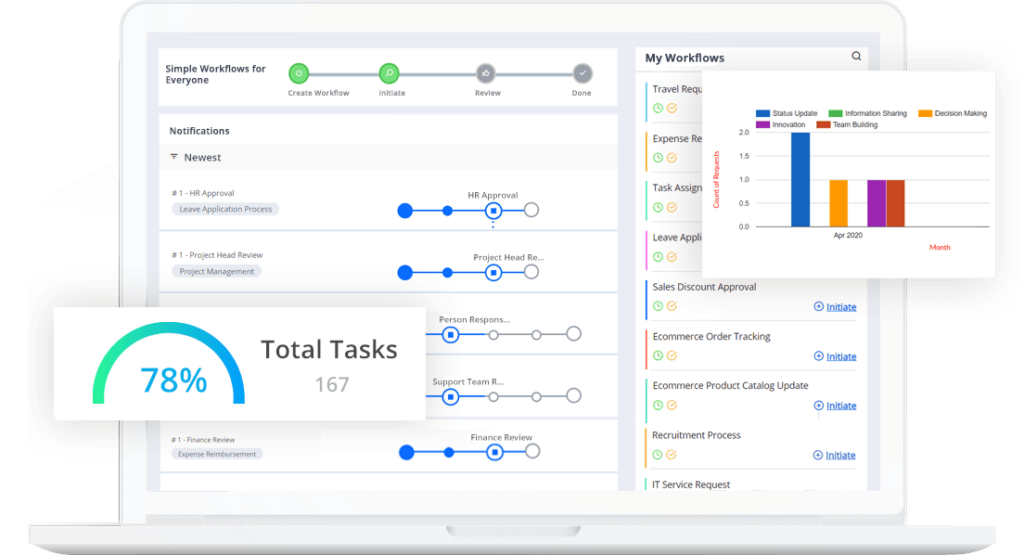
Cflow is a popular workflow automation tool that provides several useful features that streamline and optimize business process workflows. Key business workflows in critical business functions like HR and Admin, Procurement, Admin, IT, and Finance can be easily automated by Cflow.
The powerful rules engine in Cflow enables users to create rules and conditions to suit their unique business requirements. You can either use a one-click setup or a full-fledged rules configuration to set up the rules engine in Cflow. Some of the features offered by Cflow include –
Visual workflow builder – You don’t have to be a techie to use Cflow. The visual form builder enables you to design process workflows and forms easily using the drag-and-drop option. This no-code BPM tool can be used by just anyone to create custom workflows within minutes.
Intuitive User Interface – The user interface in Cflow is easy to understand and provides a bird’s eye view of all the processes managed by the software. The fully customizable dashboard provides users with all the information needed to manage and control the workflows and gain real-time insights into the process flows.
Public forms – This is one of the most useful features in Cflow that allows you to expose your Cflow forms to the web world. Using this feature, you can have a registration form or a feedback form on your website to gather information from the user/visitor. Public forms make it easier for you to connect with users who are not directly associated with your organization.
Encryption and security – Cflow offers the highest priority to data security and safety. SSL encryption is provided to safeguard sensitive business data when it is being transmitted over the Internet.
Critical business content is hosted on the AWS cloud, which offers high levels of security. Also, access to business data can be controlled and managed by providing permissions only to appropriate stakeholders.
Integrations – Cflow is a versatile program from the ground up designed with the user’s comfort in mind. It seamlessly integrates with popular and essential third-party applications like Zapier, SAP, ERP, etc. to provide more features or external support to business workflows.
Reports and analytics – The business activity monitor (BAM) from Cflow provides real-time insights into process cycle times, efficiencies, and bottlenecks. All the information required for you to stay informed about the organization’s processes is available in an easily understandable format.
Document management – Cflow is designed to reduce the work and time required for managing documents. The document management system in Cflow allows you to scan, store, update, and manage documents easily online.
Pricing – Cflow offers a 14-day free trial. There are 3 pricing plans offered by Cflow – Joy priced at $11 per month per user, Bliss priced at $16 per month per user, and Obtain personalized pricing with the Zen plan, tailored specifically to your needs and goals.
With such critical process management features, Cflow is a preferred solution by over 20,000 users worldwide. Skip paper-based manual processes and accelerate day-to-day process workflows with Cflow.
2. IFTTT
IFTTT (If This Then That) is a popular automation platform that helps individuals and businesses automate everyday tasks by connecting apps, services, and smart devices. Unlike traditional project management tools, IFTTT specializes in event-based automation, allowing users to create simple rules (called applets) that trigger actions across different applications. It is widely used for personal productivity, marketing automation, social media posting, IoT workflows, and system-level automation.
Designed for simplicity, IFTTT requires no coding knowledge, making it accessible even for non-technical users. From automating cloud backups to syncing social media posts and managing smart devices, IFTTT acts as a bridge between hundreds of apps to eliminate repetitive tasks and manual effort.
Workflow automation – IFTTT enables users to build workflows using a simple conditional format:
If this happens → then do that.
This helps automate cross-app actions such as automatically saving email attachments, posting updates across channels, or triggering alerts when specific conditions are met.
Users can either choose from thousands of pre-built automation templates or create custom workflows based on their specific needs.
Applets and Triggers – At the heart of IFTTT are applets – automations made of triggers and actions. A trigger is the event that starts a workflow, such as receiving an email or uploading a file. An action is the result, such as sending a notification, posting to social media, or updating a spreadsheet.
These applets can be easily customized to create powerful automations across marketing, operations, customer notifications, and personal workflows.
Personal and business productivity – IFTTT improves daily productivity by automating time-consuming tasks like data syncing, social content distribution, file management, and notification handling. Businesses use it to automate lead alerts, monitor online activity, and streamline communication across platforms.
It is especially useful for freelancers, marketers, and small teams looking to implement automation quickly without technical complexity.
Smart device automation – IFTTT is also widely used in smart homes and IoT ecosystems. Users can automate lighting, temperature controls, security systems, and voice assistants by connecting devices such as Alexa, Google Assistant, and smart appliances through IFTTT.
Integrations – IFTTT connects with hundreds of services including Google Drive, Gmail, Dropbox, Twitter, Facebook, Slack, Alexa, Android, iOS, and many SaaS platforms. This wide integration ecosystem allows users to build automations across cloud apps, platforms, and connected devices effortlessly.
Pricing – IFTTT offers a free plan with basic automation capabilities.
The Pro plan starts at $2.50 per month (billed annually) and allows users to create more complex workflows with advanced settings and multiple conditions.
3. Smartsheet
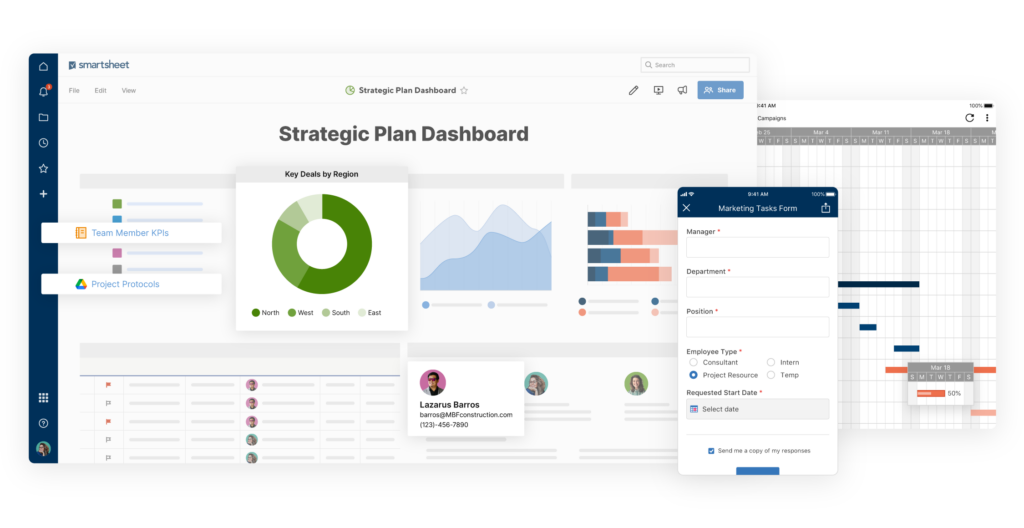
As is evident from its name, Smartsheet is a workflow management software based on spreadsheets. Smartsheet allows users to organize tasks, schedules, processes, and more on spreadsheets.
Smartsheet is a spreadsheet-like project management tool that has won quite a few awards for becoming a favorite business tool quickly. Users who are comfortable working in Excel, but are looking for a break from complex formulas would find Smartsheet very easy to work with.
Users can perform several calculations across multiple sheets easily with Smartsheet. It is an interactive workflow tool that provides several features like workflow automation and visualization of tasks in Gantt charts, calendars, and card views.
Project planning and management – Smart sheet allows you to standardize key project elements, increase the velocity, and improve collaboration with scalable options that fit individual work requirements.
Dynamic portfolio management – Users can manage projects, portfolios, and resources with a holistic view across projects. Smartsheet also improves flexibility and agility for faster and higher quality delivery of projects.
Accelerate program planning and delivery- You can empower your teams to collaborate with speed and accountability for driving successful outcomes, faster.
Real-time visibility – Smart sheet allows you to enhance reporting with rich, real-time metrics that summarize the progress of tasks across projects, and increase stakeholders’ confidence.
Integration – Smart sheet integrates seamlessly with most enterprise systems and apps to provide everyone with real-time insights required to innovate and execute dynamically.
Critical path feature – This feature highlights all the tasks that directly impact the project completion date to keep an eye on important milestones.
Pricing – Smartsheet is priced at $7 per month per user. The minimum number of users required for a subscription is 3 and a maximum of 25 users. A free trial of Smartsheet is available for 30 days.
4. Monday
Monday is considered among the top workflow software tools that are highly effective in automating manual processes. The uniqueness of this workflow creation tool is that it does not restrict itself to project management alone.
A lot of fine-tuning has been done to this tool by eliminating the typical features of workflow tools to include a focused structure and views that clarify the sequence of work that needs to be executed. The format of this tool vaguely resembles a spreadsheet, only a better-looking one.
On Monday, you first put tasks on a board and then add in the steps required to complete the task. For teams that are currently using spreadsheets to manage their processes/projects, monday.com is the ideal choice for automating workflow management. This tool can round out your workflow with alerts, notifications, integrations, and automation. Notable features of monday.com include:
Visual task management platform- You can plan, organize, and track all your team’s work in one place with this workflow tracking tool. It is an easy and intuitive digital workflow tool that can be used to create your workflow without any training whatsoever. You can create the ideal workflow within minutes using 200+ ready-to-use templates.
Visual super table – Monday operates with a visual super table that provides over 200 templates and 30+ drag-and-drop column types that allow several options to customize your workflows.
Groups, updates, items, and sub-items can be synced in real time to keep everything within the context of your actual project, workflow, process, and everything in between.
Comprehensive data views – You can view your data in several easily understandable formats like Kanban, Calendar, Timeline, Gantt charts, workload, and forms.
Such formats help you understand process performances in the way you are most comfortable with. From complex to colorful to basic, you can view data in any format you want.
Mobile compatibility – With Monday, you can communicate easily with anyone you wish to in the team from any location and any device you are using. Share files and images, updates, feedback, etc. in real-time via the mobile app that is compatible with Android and iOS devices.
Automation – You can set up automation within seconds to take care of your routine tasks. Automating routine mundane tasks helps eliminate human error and improves productivity.
Integrations – Monday can be seamlessly integrated with common work tools for a connected view of business data. You can connect your data with over 40 integrations with different tools so that everyone has access to the same data. You no longer need to switch between tools with monday.com and stay focused on strategic work.
File storage – You can store your files wherever you do your work so that everything is organized in one place. Drag and drop of files, advanced search capabilities, file upload, and feedback – everything can be done from a single place.
Customer support – The customer support team at monday.com provides 24/7 support to customers. Daily webinars that guide you from everything from the basics to advanced workflows are provided by customer support.
Pricing – Monday is priced at $6 per user per month. A free plan is offered for up to 2 users. The free trial period of monday.com is 14 days.
5. ProProfs
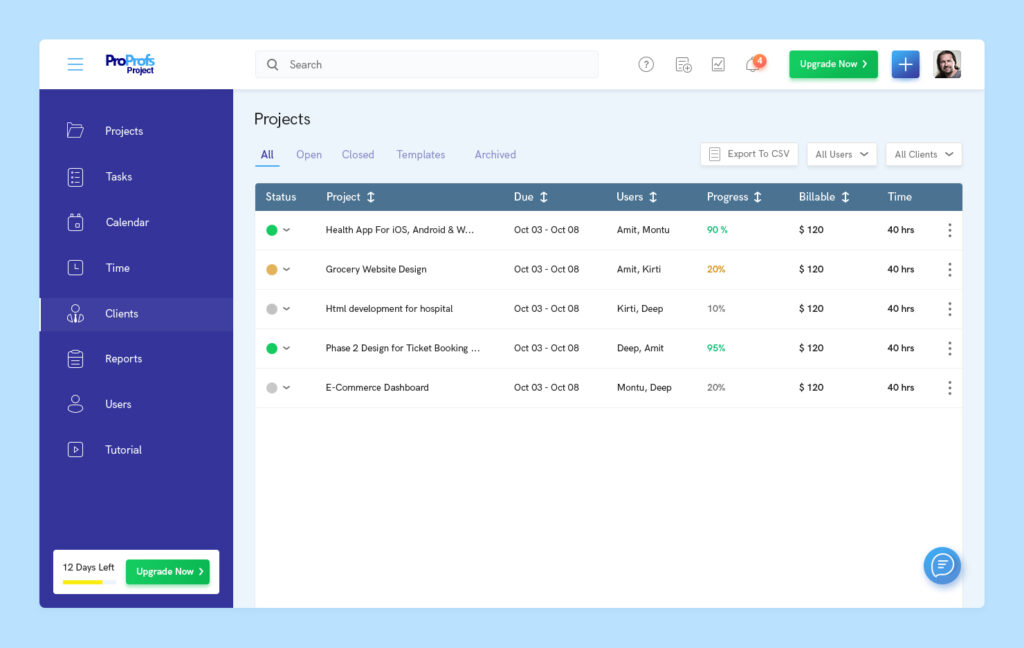
ProProfs is among the preferred digital workflow tools that enable efficient online project management. It is a smart workflow automation tool that offers real-time updates on the project life cycle. The intuitive dashboard enables users to manage tasks, subtasks, and deadlines effortlessly.
Seamless file sharing enables data-driven discussions anytime, anywhere. Custom workflows can be created as per unique business requirements. This tool enables seamless team collaboration via the cross-functional team management feature.
Single source of truth – The intuitive dashboard provides a single point of view of project progress and status. Take one look at the project dashboard to see progress as it happens.
Status of processes/projects, time spent on each task, whether there are any queries within the team – all in one glance at the dashboard. Access projects in a single view, add users to any project, drag and drop projects to prioritize, and anytime, anywhere access with the intuitive dashboard.
Efficient task assignment – Yu can manage the project flow by assigning tasks efficiently. Primary and secondary tasks can be assigned to appropriate team members for an enhanced and streamlined workflow. Seamless file sharing and meaningful conversations with team members can be done via ProProfs.
Online project planning- The online project planning tool allows users to plan projects and tasks via the shared calendar. You can also sync milestones with other calendaring tools like Outlook, Google Calendar, iCal, etc. The tool also enables users to track who is working on what and track project deadlines.
Collaboration of disparate departments and teams- The powerful dashboard keeps the in-house and remote teams on the same page via effective collaboration and streamlined communication. Get timely notifications and stay updated on the latest developments and milestones with ProProfs.
Discussions and sharing – The file sharing and task comments feature provided by this business process workflow tool enables users to share project files easily and connect our project management online.
Tracking of client time and invoices- This workflow software provides timers that can track and calculate billable and non-billable hours for the clients. You can create time sheets that track the time spent on each project. Automated invoicing makes client billing a hassle-free affair. You can add your customization to each invoice to reflect the essence of your brand.
Reports and analytics – Users can generate easily understandable and delightful reports via the powerful analytics feature provided by the software. A summary of the project status, a breakdown of the tasks along with their timelines, and financial summaries are presented by the software.
Pricing – ProProfs is available in two pricing plans: Essentials priced at $2 per user per month, and premium-priced at $4 per user per month. Both these plans offer a free trial period of 15 days. They also offer special discounts when the number of users is more.
6. Kintone
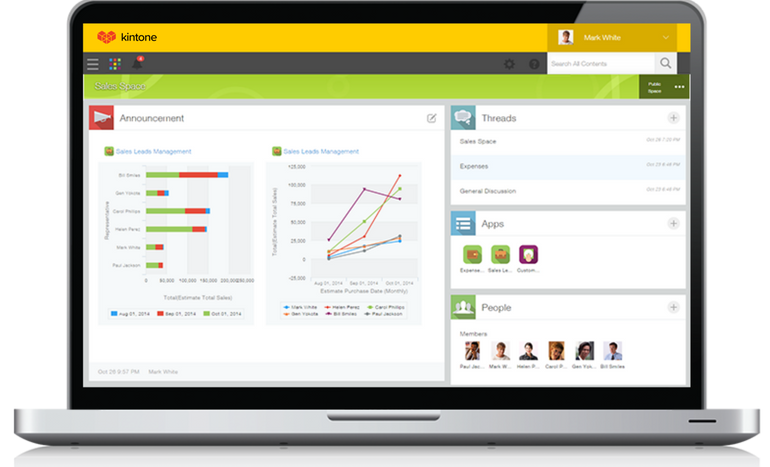
Kintone is a workflow management solution tool that allows high levels of customization. This is an interactive workflow tool that allows users to build a wide variety of customizable apps from scratch with the help of templates or existing spreadsheets.
This digital workflow tool can be customized for project management, sales CRM, customer databases, expense reports, equipment management, shared to-do lists, product feedback, and many more workflows.
The easy-to-use visual drag-and-drop workflow builder lets you create workflows with rich text fields, date fields, drop-down menus, number fields with built-in calculations, and spaces for attachments.
Custom workflows – You can map out your steps, automate tedious tasks, assign tasks, and even change workflows as your processes evolve with Kintone. Creating new workflows or changing existing ones takes only a few minutes.
Custom alerts and notifications – Project and task deadlines are effectively tracked by this workflow automation tool. All the team members are notified of approaching delivery deadlines so that no work slips through the cracks. Automated reminders and alerts let all the team members know when the ball is in their court.
Mobile-friendly and accessible – You can access, edit, and manage workflows from any smart device or desktop. This is a perfect business process workflow tool for busy teams that are always on the go.
Permissions and approvals- Setting appropriate permissions and approvals ensure that only the right people see your workflows. Automating the approval process ensures that all the necessary approvals are done on time and the appropriate team member is notified after approval.
Continuous tracking of processes – Kintone helps you track the status of each task and process. Every aspect of the task is recorded and documented, which makes process audits a breeze. Proper documentation also ensures that all the processes comply with the company’s policies and standards.
Integrations – Kintone lets you expand its capabilities with free native plugins that are built by the team as well as third-party integrations like Slack, Gmail, Quickbooks, WordPress, MailChimp, etc. These integrations are done via Zapier or API integrations.
Pricing – The cost of Kintone comes to $24 per user per month with a minimum user requirement of 5. They also offer a free trial spanning 30 days and special discounts for educators and non-profit organizations.
7. Next Matter
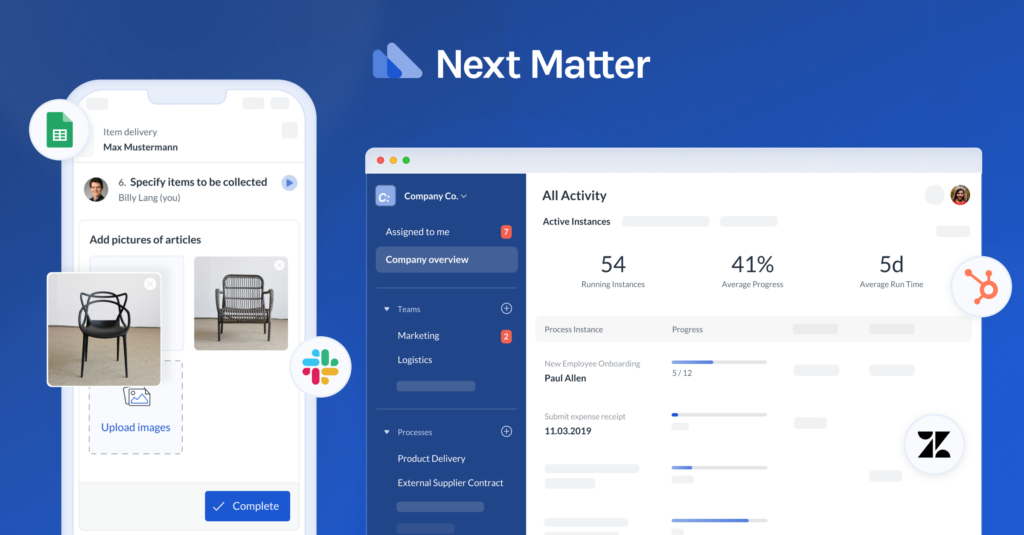
The next matter is the workflow automation tools best suited for scaling businesses. You don’t just get a workflow automation tool with Next Matter, you get a dedicated partner with management consulting and technical expertise, a personalized implementation and onboarding plan, technical support for integration and platform design, and guided rollout and onboarding sessions for teams.
The customization and automation features provided by Next Matter enable teams to create workflows quickly and efficiently. You can easily scale processes without even knowing how to code having IT project management skills or needing consultants. Next Matter is a complete automation platform that is built for operations.
Automated task management – This workflow automation tool automates task management with the help of scale management. The task management tool creates a to-do list that writes and updates itself. Task assignment, notifications, and scheduling are some of the capabilities that Next Matter brings to task management.
Intelligent task pooling – All the tasks under the workflow tool are pooled logically into dedicated work streams and to-do lists. Individuals can see what is assigned to them at any given time.
All the tasks and processes that are ready for pick up in their department are visible to the team members. Managers also get to see all the tasks and processes at the organizational level. They can easily delegate or reassign tasks to manage capacity or absence.
Focussed execution view – Next Matter provides a single page, focussed execution view of all the tasks and processes. Users get complete transparency of the status of all tasks and processes, which helps them hand in their best work. You can view operations processes end-to-end, track progress in real-time, and get a singular task view and clear work instructions.
Seamless collaboration with external users- Users can collaborate easily with partners and suppliers directly via Next Matter. You can assign single or multiple process steps to external collaborators.
The flexible notifications feature allows you to deliver messages or notifications to external users via any channel. External users get a frictionless branded execution experience with Next Matter.
Workflows within minutes – You can create end-to-end processes within minutes using the no-code drag-and-drop builder. Build your process workflows step-by-step, assign stakeholders, and include real-life requirements like parallel activities, deadlines, decisions, conditionals, and reviews with Next Matter.
You can also improve operational efficiency by adding checklists, direct camera access, work instructions, custom forms, data fields, and anything else that the team needs.
Integrations – This workflow tool can be integrated with tools that your business uses every day. Push data to sheets, update CRM records, send Slack notifications, create PDF documents, and automate all the steps that slow down your teams. Combine with iPaaS layers like Zapier or Integromat to set up your custom integrations.
Permissions and security – This automated workflow tool provides the highest level of security for sensitive business data. Advanced permissions feature can be used on processes, instances, and folder levels to define visibility and accessibility rights.
Automatic documentation and archival features save process instances, files, and data safely. All your processes are audit-ready at all times with a full process audit trail and timestamps made available with just a few clicks.
Live management overview and reporting – Managers can view the status of any process live or create custom reports. All the ongoing work is neatly summarized in stages view or zoom-in to get a granular view of any process or detail. Standard reports like progress overviews and open tasks are directly shown on the dashboard.
Pricing – Next Matter is available in USD and EUR pricing. There are 4 pricing plans available: Starter priced at $29 per month per user; Professional priced at $49 per month per user; Enterprise priced at $99 per month per user; and Custom plan for annual billing for 50 users. Startups, Educational institutes, and NGOs get a price discount.
8. Process Bliss
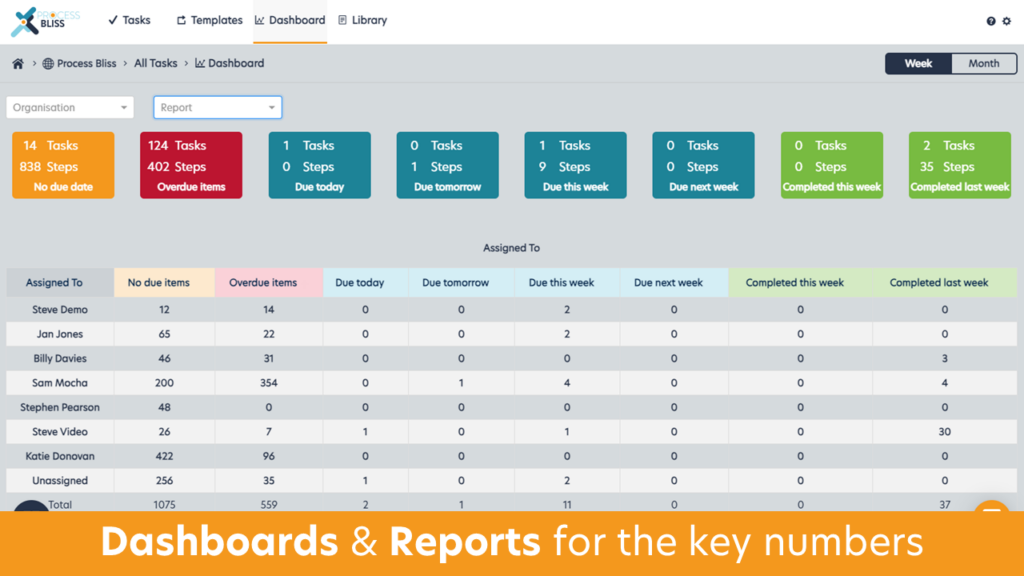
Process Bliss is a powerful workflow management software suitable for small to medium businesses. The tool provides strong template features and a top-notch workflow builder that supports decision branching, loops, data and file capture, and dependent due dates. Templates in Process Bliss are available in a centralized and easy-to-navigate folder structure that supports permissions.
The visual workflow builder can be used to build your templates. Tasks can be created from templates or one-offs, and teams can set different owners for each step in the task with customized notifications.
Creating templates – Users can create repeatable templates for campaigns, approvals, onboarding, and reporting. Drag and drop flowcharts, processes, procedures, embedded links, videos, and docs are some of the features that can be used while creating templates.
Ownership and accountability – Features like dependent notifications, guest access, group assignments, and real-time data capture enhance ownership and accountability among the team members.
Users can gain visibility into task progress and process workload. All the ideas, tasks, reminders, and actions are captured in a central place so that nothing gets forgotten. Automated tasks can be scheduled as recurring so that they are not missed.
Process improvement – The built-in process improvement feature includes quality analytics template feedback, and the ability to record when steps are missed. The analytics and feedback assist in continuous process improvement.
Pricing – Process Bliss is priced at $10 per user per month. You get 2 months free when you subscribe annually. The free trial of this product is available for 14 days.
9. ProcessMaker
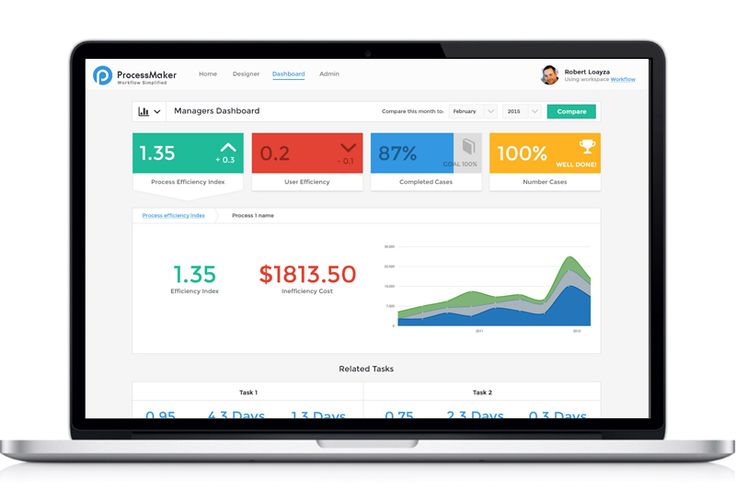
ProcessMaker is a workflow program that enhances and streamlines the flow of data through systems and tasks. The BPMN 2.0 notation is used to depict the processes. ProcessMaker is one of the many open-source workflow tools that present an affordable option to model approval-based business processes.
This tool is known for its low overhead and its light and efficient approach. The drag-and-drop user interface enables business analysts to model workflows easily without even a line of code. Form-intensive, approval-based processes across departments and systems can be effectively automated with ProcessMaker.
Low-code BPA software – ProcessMaker is a low-code BPA software that is based on intelligent workflow automation. The process modeler helps businesses design business processes from scratch within a few days.
Users can drag and drop tasks and decision points onto the modeling canvas and add forms, data connectors, and many more attributes to create the process workflow. This modeler is BPMN 2.0 compliant, powerful, and intuitive.
From builder – The visual form builder can be used to design elegant forms and display screens that can be incorporated into process workflows. Process forms can be used to capture and display data from other systems, and design approval screens for informed decision-making.
Email actions – Decision-makers can easily approve or reject requests (sent as email) from their mailbox or Slack. This feature captures data from any form and renders it as an email along with appropriate buttons for Approval or Reject.
The email action feature is also available offline, which enables executives to review and make decisions without an Internet connection. Once they connect to the Internet, the changes are synced with the system automatically.
Intuitive dashboards – Executives, supervisors, and managers can use the powerful dashboard to monitor all the processes and ensure that the business objectives and SLAs are met.
Graphical representation of filtered search results based on charts and reports provides management with real-time updates on process statuses and performance. These charts can be shared with users and groups so that everyone has access to the information they need.
Business activity monitoring – Business Activity Monitoring (BAM) is beyond simple reports and dashboards, it enables businesses to set service level agreement (SLA) alerts that will notify the user each time certain business conditions are met. BAM ensures that key stakeholders are notified in real time without requiring a report, dashboard, or chart.
Integrations – Process Maker can be seamlessly integrated with other work software like Office 365, G-Suite SSO, Salesforce, etc. Users of these office tools can be easily authenticated via the workflows created in ProcessMaker.
Master data management – Process Maker ensures efficient data governance by maintaining high levels of security and safety as data moves in and out of core systems. Paper documents and metadata from images can be easily extracted using process makers’ OCR/ICR bots. Documents can be stored in the built-in DMS or popular document repositories like Sharepoint, Dropbox, or Google Drive.
Pricing – ProcessMaker provides pricing plans for organizations of different types and sizes. Standard ($1,495 per month billed annually), Enterprise ($2,479 per month billed annually), and Custom are different plans offered. In addition to these pricing plans, they offer an App plan for single-process application requirements.
10. Miro
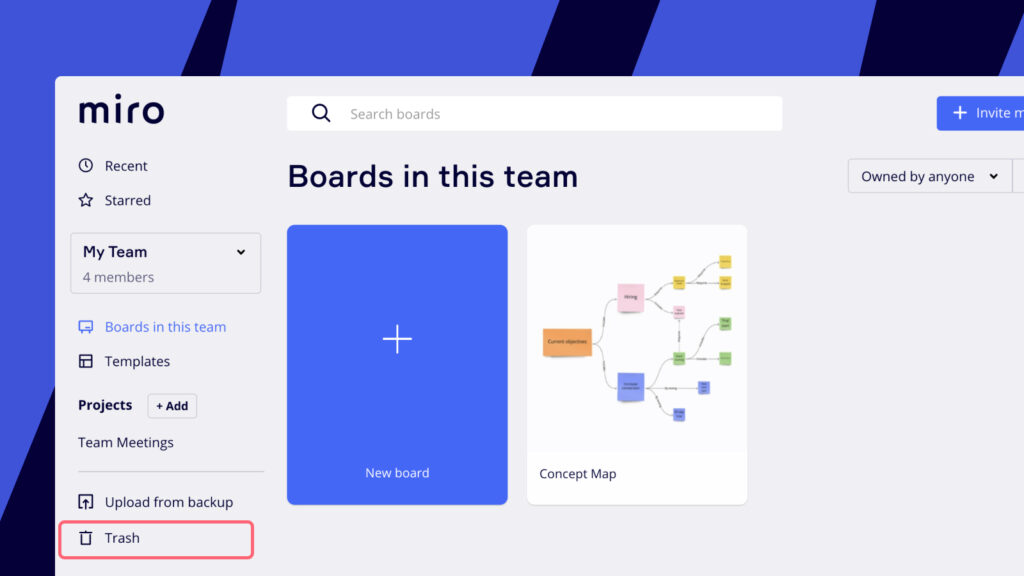
Miro offers collaborative Gantt Charts that teammates can use to add tasks, shift deadlines, leave comments, and track project progress. The workflow software is a collaborative online whiteboard that provides more than 1,000 templates that include mind maps, Gantt charts, research boards, flow charts, and product wireframes.
The majority of the Fortune 100 companies and teams at TransUnion, HP, Upwork, Cisco, and Atkins use Miro to map their key business processes.
Online Whiteboard – Miro is an infinite canvas that helps teams ideate, strategize, and stay organized. You can invite users to your online whiteboard to brainstorm, track projects, and take notes. Video conferences, screen sharing, and presentation modes can be used to set up and run engaging meetings.
Users can pick from any one of the templates from business model canvases to user story maps to fishbone diagrams to devise an easy way to ideate and collaborate with the team. Brainstorm, plan, iterate, design, teach, and meet via an online whiteboard.
Apps and Integrations – Experience a powerful, integrated workflow with Miro. Users can connect with over 100 apps and integrations to align teams and work more efficiently. ClickUp, Airtable, Smartsheet, and Gtmhub are among the popular integrations of Miro.
Toolkit for different workflows – Miro provides a toolkit for different workflows like product management, design, research, engineering, marketing, sales, strategy, and planning.
Miro Trust Center – Security is given the top priority at Miro. The Miro Trust Center provides enterprise-grade security across all aspects of team collaboration, ideation, and storage. Miro’s policies tools and procedures are built to protect global data and meet global privacy obligations.
Pricing – Miro offers 3 different pricing plans. The team plan priced at $8 per month per user provides more collaborative power and unlimited boards for fast-growing teams.
The Business plan priced at $16 per member per month is suitable for advanced collaboration and security capabilities for teams and companies. The Enterprise plan provides additional security, control, and support for organizations.
11. Nifty PM
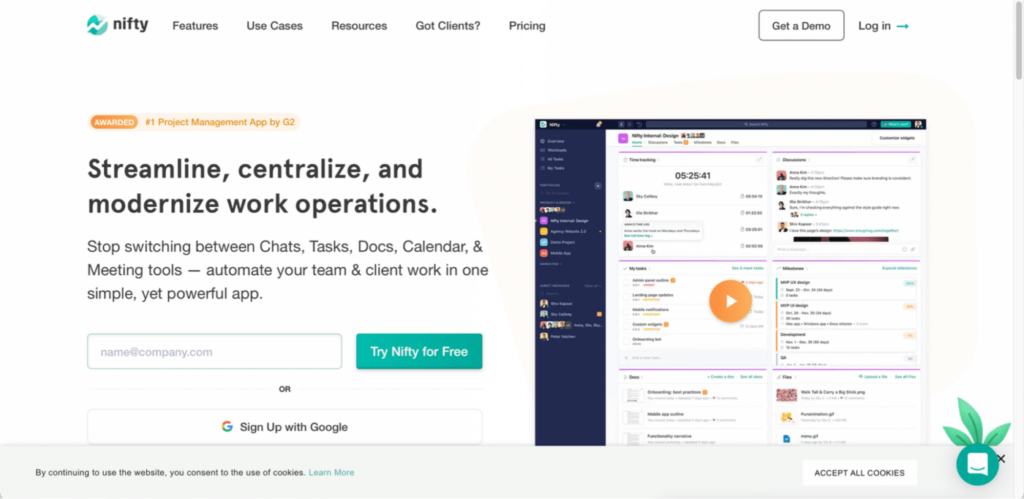
Nifty is a project management app that can be used for automated workflow management. It empowers teams with the ability to manage tasks, track project milestones, communicate with teammates, create collaborative documents, and share and discuss files in a centralized workspace.
Users can view task progress and automate progress updates depending on the completion of related tasks. Dependent tasks can also be blocked in Nifty. The creation of recurring schedules can be effectively done through this software.
Discussions – With Nifty, you can establish knowledge hubs that enable focused discussions among project members for meaningful decision-making. Discussions enable real-time collaboration amongst project members for sharing ideas, collecting feedback, and making meaningful decisions.
Task management – Using the Kanban view in Nifty, users can organize, collaborate, and prioritize work while managing feedback and project deadlines. You can keep track of all your assignments and activities, and time logs across projects by using the ‘My Work’ section.
Users can automate your workflow by assigning users to entire task lists. Recurring tasks can be set based on date or status. Task lists can also be converted into milestones to automate their progress as and when they are completed.
Time tracking and reporting – The time tracking and reporting feature enables you to see who is working on what and when. Team members can track time spent on tasks and stay on top of their billable hours and workloads.
Time reports provide a detailed breakdown of team members’ logged hours. These reports are available across projects and tasks. Timesheet reports can be exported to CSV format and downloaded as a PDF file.
Document management – You can maintain an organized collaboration hub by consolidating documents and files with your projects. Collaborative documents can be created with team members and stored along with project work. Users can choose from Google Docs, Nifty Docs, Presentation, or Spreadsheet that is synced with Google Drive.
Once a document has been created, it can be shared with the team or clients for editing, viewing, or commenting. You can streamline your creative feedback process with the File Proofing feature by automatically creating subtasks based on comments left on the content.
Project portfolio – Nifty allows users to folder their projects into portfolio teams based on operations, account ownership, client delivery, or more. The portfolio overview feature enables users to gather high-level insights into the projects within a portfolio like current status and team members. The Portfolio dashboard provides a complete view of all the projects in your portfolio, their status, and their participants.
Pricing – Nifty PM provides 3 pricing options – Starter priced at $5 per month per user; Pro priced at $10 per member per user, and Business priced at $16 per month per user. There is also an unlimited plan that is priced at $399 per month.
12. Admation
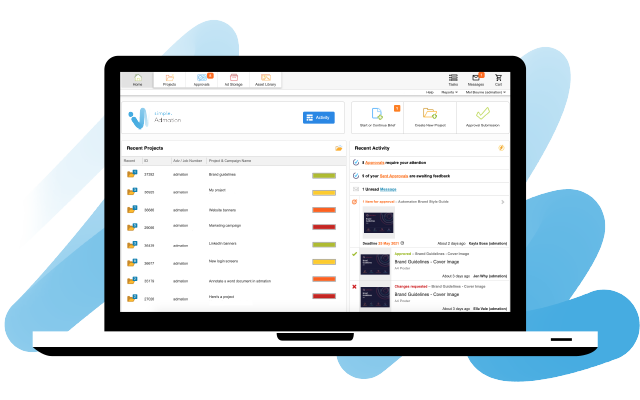
Admation is a project management software that is suitable for marketing teams and agencies that are looking to benefit from multiple features rolled into a single tool.
This workflow automation tool combines project, resource, and approval workflow management into a single tool, which enables users to manage the full production cycle of their campaigns, from project setup to resources to managing the entire approval workflow.
The user-friendly interface provides users with an exceptional range of project-tracking features and tools.
Project management – The project management feature provides an instant overview of all the projects and tasks on the go. This is a perfect tool for marketing managers, project managers, and production managers who want to track and stay in control of projects at all times.
Resource Management – The resource planner provides greater visibility and accuracy in scheduling resources. Managers who want to get the most out of their resources find the resource planning tool very useful.
Automating approvals – The software can be used for fast-tracking feedback and approvals via a centralized and secure system. Account and marketing managers can use this tool for a seamless approval experience.
Asset management – You can consolidate your current marketing assets with your projects by saving them in the admation’s asset library. This is a perfect tool for account managers and production managers who wish to ensure the safety of their assets.
13. ProHance
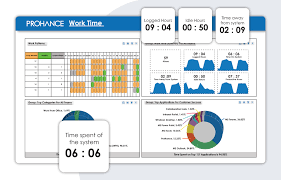
ProHance is a software solution designed to help organizations improve their productivity by providing insights into employee performance and operational processes. It is designed to track and analyze employee activities, provide real-time information on employee performance, and identify areas of improvement.
Activity tracking: ProHance tracks employee activity levels and provides insights into how employees are spending their time.
Productivity metrics: It offers real-time metrics on employee productivity, such as time spent on tasks, workloads, and efficiency.
Process analysis: ProHance can analyze work processes to identify bottlenecks, inefficiencies, and areas for improvement.
Performance management: It provides managers with the tools to set goals, track progress, and provide feedback to employees.
Resource optimization: ProHance can help organizations optimize resource utilization by identifying underutilized resources and suggesting improvements.
Compliance management: It helps organizations monitor and ensure compliance with policies, procedures, and regulations.
Data visualization: ProHance offers customizable dashboards and reports that can be used to visualize data and track progress.
Pricing is provided on request and it varies based on the specific organizational needs. The company offers customized pricing based on factors such as the number of users, the features required, and the level of support needed.
ProHance offers a free trial for interested organizations to test the software before committing. The free trial includes access to all features and functionalities of the software for a limited period.
14. Comindware Tracker
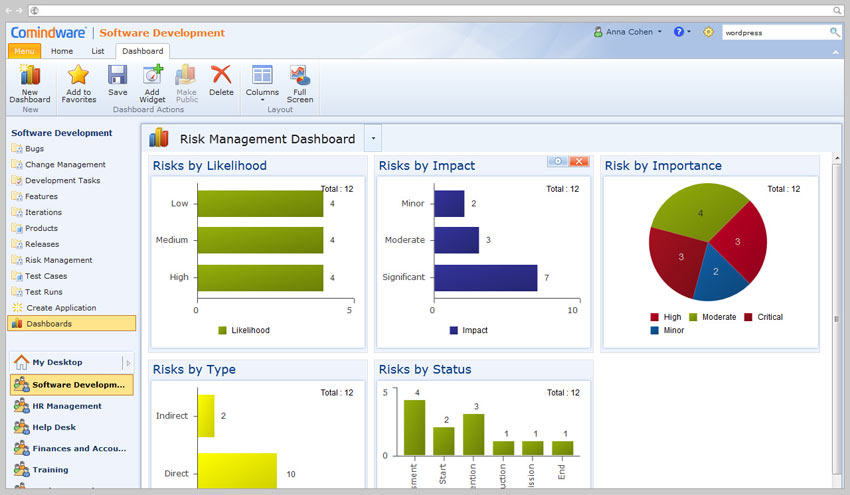
Comindware is a web-based software that does not require IT resources for the setup process. It is a non-coding software that can be used to modify the workflow without the assistance of IT-skilled personnel. Key business operations can be effectively automated with Comindware. Bitbucket integrates seamlessly with various CI/CD tools, enabling automated builds, tests, and deployments to streamline the software delivery process, further enhancing operational efficiency.
Workflow automation- Process modeling, automation, and optimization cannot get easier than this. Comindware empowers all employees, even those without coding skills, to increase process speed, visibility, and productivity.
A powerful workflow platform, configurable web forms, and flexible business rules make Comindware the preferred workflow automation platform.
Graphical workflow builder – The drag-and-drop workflow builder enables easy and quick process modeling and rolling out of new workflows with minimal IT involvement.
Adjusting workflows on the go can be easily done with the graphics; and workflow builder. Comindware provides a single environment for workflow modeling and automation. Flexible business rules can be set using the workflow builder.
Case management- The adaptive case management feature in Comindware enables routing, submitting, and handling of cases regardless of their origin. Comindware provides fully configurable workspaces that allow centralized case management and all the associated tasks, data, and documents within the user’s workspace.
Case routing can be effectively automated in Comindware. The case management feature provides full collaboration facilities for teams, which enables them to retrieve full activity context and ensure seamless collaboration.
Group discussions, case escalations, document sharing, and integration with web chats via open API are possible in the case management feature.
Pricing – Pricing of Comindware starts at $24.99 per user per month. The cost of the product will come down as the number of users increases.
15. Make (formerly Integromat)
Make (formerly known as Integromat) is a powerful visual automation platform that lets users design, build, and automate workflows across apps and systems using an intuitive drag-and-drop interface. It goes beyond simple “if-this-then-that” automation by allowing multi-step, conditional, and data-driven workflows—making it a favorite among operations, IT, and marketing teams that need flexibility and control.
Used by companies such as Meta, Spotify, and Adidas, Make helps teams connect applications, move data seamlessly, and automate even the most complex business processes — all without coding.
Visual Scenario Builder – Make’s signature visual canvas enabling users to create automation workflows (called “scenarios”) by connecting apps, setting conditions, and defining data paths. Each workflow can include multiple steps, branches, and logic nodes, making it ideal for advanced use cases that go beyond basic triggers and actions.
App Integrations – Make connects to over 1,500 apps, including Google Workspace, Slack, HubSpot, Shopify, Airtable, Notion, Xero, and more. Users can also integrate custom apps via APIs or HTTP modules, providing virtually limitless automation potential.
Advanced Data Handling – One of Make’s strongest capabilities is its built-in data manipulation tools. Users can transform, parse, aggregate, or route data dynamically between systems — ensuring that even complex workflows involving spreadsheets, databases, or APIs can run smoothly.
Custom Logic and Error Handling – Make allows for filters, routers, aggregators, and error handlers, giving users complete control over how workflows behave. Each operation can be tested visually in real time, with clear logs that show data flow step by step.
Collaboration and Version Control – Teams can collaborate on scenarios, set permissions, and monitor execution history. The platform provides execution logs, run history, and error reports, ensuring full transparency and easy debugging of automated workflows.
Security and Compliance – Make is ISO 27001 and GDPR compliant, with encrypted data transfer, secure authentication, and regional data hosting options for enterprise users.
Use Cases –
Marketing: Automate lead capture, CRM syncs, and campaign reporting.
Finance: Reconcile invoices and sync data between accounting tools.
IT: Manage service tickets, alerts, and user provisioning.
eCommerce: Automate order processing and inventory updates.
Pricing – Make offers a Free plan with 1,000 operations/month to get started. The Core plan at $9 per month adds more operations and scheduling flexibility, while the Pro plan at $16 per month supports advanced features like parallel processing. The Teams and Enterprise plans include unlimited operations, priority support, and enhanced security for larger organizations.
16. Zapier
Zapier is one of the most popular workflow automation tools that connects over 6,000+ web apps to automate repetitive tasks between platforms — without writing a single line of code. It allows users to set up “Zaps”, which are automated workflows that trigger actions between apps like Gmail, Slack, Google Sheets, Trello, HubSpot, and thousands more.
Trusted by companies like Adobe, Spotify, and Asana, Zapier helps teams save countless hours by reducing manual data entry and repetitive switching between tools.
Workflow Automation – Zapier enables anyone, regardless of technical skill, to create automated workflows using simple trigger-and-action logic. For example, you can automatically send Slack alerts when a new lead is added in Salesforce, or update a Google Sheet every time a form is submitted in Typeform.
App Integrations – With its extensive library of integrations, Zapier connects marketing, sales, finance, HR, and IT tools seamlessly. It supports native integrations with apps like Google Drive, HubSpot, Salesforce, Notion, and Microsoft Teams, helping cross-functional teams stay synchronized.
Customizable Multi-Step Zaps – Users can build multi-step workflows that include conditional logic, filters, and delays to automate complex business processes. The intuitive editor allows users to visualize and edit automation flows easily.
Team Collaboration – Zapier for Teams enables shared folders, role-based access, and collaborative management of automations. This is particularly valuable for organizations that require centralized control of workflows across multiple departments.
Security and Compliance – Zapier follows industry-standard security protocols including SOC 2 Type II compliance, encrypted data transfer, and audit logs to ensure business data remains safe.
Pricing – Zapier offers a free plan with 100 tasks per month, ideal for individuals testing simple automations. The Starter plan at $19.99 per month enables multi-step Zaps and premium apps, while the Professional plan at $49 per month offers unlimited Zaps and advanced features like filters and custom logic. For large organizations, the Team and Company plans provide enterprise-grade security, admin controls, and priority support.
17. Nintex
Nintex is an enterprise-grade workflow automation platform designed to simplify and optimize complex business processes across departments. With a strong focus on process intelligence, automation, and optimization, Nintex enables organizations to map, automate, and monitor workflows from a single, unified platform — all without requiring extensive coding expertise.
Trusted by global enterprises like Coca-Cola, Zoom, and Chevron, Nintex helps teams accelerate digital transformation through seamless automation of approvals, document routing, and compliance-heavy processes.
Process Mapping and Management – Nintex provides an intuitive drag-and-drop process designer that allows users to visualize, document, and improve their workflows. Teams can quickly map out end-to-end processes, identify bottlenecks, and optimize efficiency using process analytics and insights.
Workflow Automation – With Nintex Workflow Cloud, users can automate approvals, notifications, and routing tasks across systems like SharePoint, Microsoft 365, Salesforce, and SAP. It enables both human and system tasks to be automated, helping reduce manual intervention and errors.
Document Generation and eSignature – Nintex includes built-in tools for automated document creation, approvals, and eSignatures through its Nintex DocGen® and Nintex Sign® modules. This makes it particularly effective for HR, procurement, and finance departments that deal with recurring documentation workflows.
Integrations and Extensibility – Nintex integrates with a wide range of enterprise systems such as Microsoft 365, Salesforce, Box, SAP, and Azure, ensuring smooth data flow and collaboration between applications. Custom connectors and APIs allow for further extensibility in enterprise environments.
Process Intelligence – Nintex leverages AI-driven analytics through its Nintex Process Discovery feature to identify automation opportunities and provide actionable insights into workflow performance and optimization potential.
Security and Governance – Nintex offers enterprise-grade compliance with ISO 27001, SOC 2, and GDPR standards. It provides detailed audit trails, access controls, and secure cloud infrastructure to safeguard sensitive business data.
Pricing – Nintex offers flexible pricing based on process volume and business requirements. Plans typically include access to workflow automation, process mapping, and document generation tools. Enterprise pricing is available upon request, with options for on-premise or cloud deployment depending on organization’s needs.
18. Workato
Workato is a powerful enterprise automation and integration platform that connects applications, databases, and teams to streamline business workflows at scale. It combines Integration Platform as a Service (iPaaS) and automation in a single, low-code environment, enabling both business users and IT teams to build secure, intelligent workflows quickly.
Used by leading organizations like Box, Atlassian, Slack, and HubSpot, Workato helps automate everything from employee onboarding and lead management to financial approvals and data synchronization — without writing extensive code.
Low-Code Automation – Workato empowers users to build automations using simple, modular “recipes”, which are trigger-action sequences that define how data flows between apps. Its intuitive interface allows even non-developers to create powerful workflows that integrate cloud and on-premise systems.
Smart Integrations – The platform offers pre-built connectors for 1,000+ business applications, including Salesforce, NetSuite, Workday, HubSpot, Slack, and ServiceNow. Users can automate multi-step business processes like syncing leads from CRM to marketing tools or generating invoices in ERP systems.
Enterprise-Grade Governance – Workato is designed for scalability and IT governance. Features like role-based access, data masking, audit logs, and version control ensure enterprise-level compliance and security. IT teams can centrally manage all automations with full visibility and control.
AI and Smart Data Handling – Workato’s AI-driven capabilities allow intelligent decision-making in workflows. Users can leverage Workato AI for data enrichment, predictive routing, and anomaly detection — enhancing automation accuracy and efficiency.
Cross-Department Use Cases – Workato supports automation across various departments:
Sales & Marketing: Sync leads and automate CRM updates.
Finance: Streamline invoice generation and reconciliation.
HR: Automate employee onboarding and offboarding.
IT: Orchestrate ticketing, system alerts, and user provisioning.
Security and Compliance – Workato complies with SOC 2 Type II, GDPR, and HIPAA standards, offering advanced encryption and secure data storage. It’s trusted by large enterprises for mission-critical integrations.
Pricing – Workato’s pricing model is based on the number of recipes (automation workflows) and connectors used. The Professional plan suits mid-sized companies, while the Enterprise plan provides advanced governance, analytics, and unlimited scalability for large organizations. Pricing is available on request.
19. Zoho Flow
Zoho Flow is a cloud-based integration and workflow automation platform that helps businesses connect their favorite apps and automate routine tasks effortlessly. Built as part of the Zoho ecosystem, it allows users to create smart workflows that bring data, teams, and processes together — without writing any code.
Over 100,000 businesses worldwide use Zoho Flow to streamline operations across sales, marketing, finance, HR, and IT. It’s particularly suited for small and medium-sized businesses looking for an affordable yet powerful automation platform that integrates natively with other Zoho products like Zoho CRM, Zoho Books, and Zoho Projects.
Drag-and-Drop Workflow Builder – Zoho Flow features a visual workflow editor that allows users to build automation by dragging and connecting app actions in a flowchart-style interface. You can trigger actions based on events (like a form submission or CRM update) and define complex conditions using decision branches.
App Integrations – The platform supports 600+ pre-built integrations, including popular tools like Slack, Google Drive, HubSpot, Trello, Mailchimp, and QuickBooks. Its tight integration with the Zoho suite ensures seamless data flow across departments.
Logic and Control – Users can create powerful, logic-based workflows using features like delays, conditionals, loops, and variables. This makes Zoho Flow capable of handling both simple automations and multi-step, data-driven processes.
Collaboration and Shared Workspaces – Teams can collaborate on flows through shared folders, manage user permissions, and reuse templates across projects. The real-time activity logs and flow history ensure complete transparency and control.
Use Cases –
Sales & Marketing: Automate lead follow-ups, CRM updates, and email sequences.
Finance: Sync invoices and payment records between Zoho Books and external systems.
HR: Automate onboarding workflows and notifications for new hires.
Operations: Integrate task management, project tracking, and reporting across apps.
Security & Governance – Zoho Flow adheres to GDPR and ISO 27001 standards, offering role-based access control, secure API connections, and encrypted data transfer.
Pricing – Zoho Flow offers a Free plan with limited flows, perfect for individuals or small teams. The Standard plan at $10 per organization/month allows more flows and premium app connections, while the Professional plan at $24 per organization/month offers multi-step flows, advanced logic, and higher execution limits. Enterprise pricing is available for large-scale automation requirements.
20. Airtable Automations
Airtable Automations transforms the popular no-code database tool into a dynamic workflow automation platform. It allows teams to automate repetitive processes, streamline collaboration, and trigger actions based on changes in their Airtable bases — all within a beautifully designed, intuitive interface.
Used by organizations like Netflix, Time, Shopify, and Medium, Airtable is widely adopted for its flexibility in managing projects, content pipelines, HR processes, and operations dashboards — now made even more powerful through automation.
No-Code Automation Builder – Airtable Automations lets users create workflows directly within their base using simple “when this happens → do that” logic. You can automatically send emails, update records, post messages to Slack, or trigger scripts when specific conditions are met.
Custom Triggers and Actions – Users can define triggers such as “when a record is updated,” “when a form is submitted,” or “when a date arrives.” Actions can include sending notifications, updating fields, or calling external APIs — making Airtable a central hub for real-time operational workflows.
Powerful Scripting – For advanced users, Airtable includes a Scripting app that supports JavaScript-based custom automations. This enables developers to create tailored workflows that connect Airtable with any system through custom logic or API calls.
Integrations – Airtable integrates natively with popular tools like Slack, Gmail, Google Calendar, Notion, and Microsoft Teams, and also connects to thousands of other services through Zapier and Make (Integromat). This makes it easy to embed Airtable workflows within larger automation ecosystems.
Collaboration and Visualization – Beyond automation, Airtable’s flexible views — Grid, Kanban, Calendar, Gallery, and Gantt — help teams visualize data and track workflow progress in real time. Each automation can be shared and managed collaboratively, ensuring transparency across departments.
Use Cases –
Marketing: Automate campaign tracking, asset reviews, and content approvals.
Product Management: Sync feature requests and bug tracking across tools.
HR: Manage onboarding workflows and employee databases.
Operations: Monitor supply chain and vendor updates automatically.
Security and Reliability – Airtable employs enterprise-grade encryption and offers SSO, two-factor authentication, and audit logs for compliance and data security.
Pricing – Airtable offers Automations in all paid plans. The Team plan at $20 per seat/month includes basic automation runs, while the Business plan at $45 per seat/month unlocks higher limits, advanced permissions, and integrations. The Enterprise plan provides unlimited runs, advanced governance, and admin controls for large organizations.
10 Key Advantages of Using Workflow Automation
1. Reduces errors and increases efficiency
Workflow automation reduces errors and increases efficiency, which is important when you’re dealing with sensitive information. Automating repetitive tasks allows your team to focus on more valuable activities. Automating your workflow can help you:
- Reduce errors by eliminating human error from the equation.
- Increase productivity by reducing interruptions and allowing for more efficient workflows.
- Improve quality by keeping data up-to-date and accurate.
Automating workflows is also a great way to improve the overall efficiency of your business, regardless of what industry you’re in. For example, if you work in a customer service role, workflow automation can help you process emails faster, which could lead to fewer customer complaints and happier customers.
2. Creates consistency across teams and organizations and higher productivity
Workflow automation is a powerful way to increase productivity and consistency across teams, organizations, and departments. When you automate your workflow, you can make it so that employees don’t have to spend time on repetitive tasks that computers can do. This allows your employees to focus on more important tasks like creating new products or services.
Workflow automation also helps to create a more consistent approach to business processes across teams within an organization.
This can be especially important if multiple departments or groups within a given company need access to the same data or information at different times during the day.
By automating this type of workflow in advance, you can ensure that everyone has access to this information at the same time every day – even if it’s for only a short period during the day or week – without having to worry about whether someone else will be able to get it first.
3. Saves time by allowing users to focus on higher-value activities
Workflow automation has the potential to save users time, by allowing them to focus on higher-value activities.
In a workflow automation environment, different workflows are assigned to different users. These workflows are carried out in the background and can be started at any time. This allows users to focus on higher-value activities rather than having to wait for their workflow to complete.
Workflow automation also helps with compliance issues. The use of workflow automation means that certain processes can be completed without human intervention, which means that there is less risk of human error occurring during these tasks.
4. Improves team collaboration by eliminating communication barriers
Workflow automation is the process of automating tasks to improve efficiency and team collaboration. Workflow automation is a simple way to improve team communication, but it’s not always easy to implement.
Workflow automation improves team collaboration by eliminating communication barriers. For example, when one person sends an email to another person on the same team, they do not need to respond directly. Instead, they can choose to engage with that particular email in their inbox or outbox, depending on their preference.
Workflow automation also helps create better accountability by ensuring that all projects are being worked on efficiently. Also, workflow automation makes it possible for people in different departments to collaborate without relying on face-to-face conversations over email or phone calls.
5. Can reduce costs by reducing manual processes, labor costs, and other expenses
Manual processes create issues that can cause delays in your production cycle. Workflow automation helps you identify and resolve issues before they affect production. This means that you don’t waste time chasing down problems after they’re already done, costing you money in lost sales or damaged products.
In addition, workflow automation can help businesses save time. It can help employees work faster and more efficiently. This is because they do not have to spend time on repetitive tasks that are being automated. Employees can focus on more important tasks that require greater attention, like customer service or making sure that the business is running smoothly at all times.
6. Enhances security by protecting sensitive information through secure access controls and encryption techniques
Workflow automation enhances security by protecting sensitive information through secure access controls and encryption techniques. Using a workflow for a specific process allows IT and security staff to control access to data, documents, and files within the company’s IT infrastructure. Workflow automation can also help to protect against malware, viruses, and other threats.
With workflow automation, you can set up policies for users to follow that are based on their roles, permissions, and job functions. You can also generate reports that show who has accessed what information at any given time. This can help you identify when unauthorized users are accessing your data and take action immediately.
7. Allows users to access applications faster without waiting for long periods
One of the biggest advantages of workflow automation is that it allows users to access applications faster without waiting for long periods. This is particularly important for companies that are trying to gain a competitive edge by providing their customers with faster service.
This means less stress. By automating processes, IT departments can focus on other tasks that require their attention instead of dealing with manual processes. This makes them less stressed out and more productive overall.
Better customer support. By automating processes, IT departments can provide better customer support because they do not have to look up data or explain things when customers have questions about how something works in their systems.
8. Improved data integration
Automating workflows has many benefits, but one of the best is improved data integration. When you have a workflow that processes different types of data, you can automatically pull in information from multiple applications and databases. This allows your team to focus on just one thing at a time rather than having to keep track of multiple sources and processes.
For example, if you have a warehouse that is dealing with different types of inventory, such as electronics and supplies, you would want to create an automated system where all orders are processed in one place.
If a customer orders something that is out of stock, it could be automatically marked as back ordered and placed on hold until it is available again. This would allow your warehouse team to focus more time on other aspects of their job while ensuring that orders are being processed properly and efficiently.
9. Improved accountability
Workflow automation improves productivity by removing bottlenecks from processes that require multiple steps. This is especially helpful if you have multiple people working on a project or need to manage your time wisely.
For example, suppose employees need approval from multiple managers before they can complete a task. In that case, an automated workflow will allow them to skip the step and send their work directly to the next person in charge.
10. Enhanced visibility
Workflow automation helps users with enhanced visibility and control over the end-to-end delivery process.
With enhanced visibility, enhanced efficiency, and more streamlined interaction with an organization’s business processes, performance is enhanced to another level! It also provides the ability to produce reports and track work in real-time while allowing for more accurate forecasts and predictions.
What Happens When Workflow Automation Tools are Introduced?
When an automation tool such as Cflow is introduced into the organizational structure, all repetitive tasks are eliminated and workflows are streamlined. Workflow automation tools optimize business processes and seamlessly connect people and systems.
Workflow automation also saves employees from performing tedious manual processes and improves business productivity. By automating routine work, these tools foster innovation by freeing up employees to focus on creative and strategic initiatives that drive business growth. Snapping out the manual burden of verifying Excel spreadsheets enables employees to focus on high-value tasks.
Automating workflows for approval-based processes helps track processes, route requests, and send reminders and notifications for speedy approvals.
Cflow helps remove all the bottlenecks and improve accountability, so your brand can finally move towards its ultimate goal of offering exceptional customer service and responding quickly to queries. To experience the Cflow advantage, sign up for the 14-day free trial today.
Workflow Automation FAQs
1. What is workflow automation?
Workflow automation is the use of technology to automate repetitive, manual, or time-consuming tasks, reducing the need for human intervention and streamlining business processes.
2. Why is workflow automation important?
Workflow automation is important because it can save time, reduce errors, increase productivity, and improve the overall efficiency of business processes. It can also help free up human resources to focus on more complex or value-added tasks.
3. What are the benefits of workflow automation?
The benefits of workflow automation include improved efficiency, increased productivity, reduced errors, faster response times, cost savings, and improved customer satisfaction.
4. How can workflow automation be implemented?
Workflow automation can be implemented using a variety of tools and technologies, including software applications, robotic process automation (RPA), artificial intelligence (AI), and machine learning (ML).
5. What types of workflows can be automated?
Any type of repetitive or manual process can be automated, including data entry, order processing, invoice management, HR processes, customer service, and more.
6. Can workflow automation be customized to fit specific business needs?
Yes, workflow automation can be customized to fit specific business needs, with different tools and technologies available to address a variety of workflows and processes.
7. What are the costs associated with implementing workflow automation?
The costs of implementing workflow automation will vary depending on the specific tools and technologies used, the complexity of the workflow, and other factors. However, the long-term benefits of automation can often outweigh the initial costs.
8. How can businesses measure the ROI of workflow automation?
The ROI of workflow automation can be measured by tracking key performance indicators (KPIs) such as productivity, error rates, response times, and cost savings, before and after automation is implemented.
9. Are there any risks associated with workflow automation?
Some potential risks associated with workflow automation include security concerns, data privacy issues, and the risk of errors or system failures. However, these risks can be mitigated through proper planning, implementation, and monitoring.
10. How can businesses get started with workflow automation?
Businesses can get started with workflow automation by identifying the processes that are most in need of automation, selecting the appropriate tools and technologies, and working with experts or consultants to ensure a successful implementation.
11. What are some common misconceptions about workflow automation?
Common misconceptions about workflow automation include the belief that it will replace human workers entirely, that it is only useful for large businesses, and that it is too complex or expensive for smaller organizations. However, workflow automation can be customized to fit the needs of businesses of all sizes and is often used to augment rather than replace human workers.
12. How can workflow automation improve collaboration and communication within teams?
Workflow automation can improve collaboration and communication within teams by providing a centralized platform for team members to access and share information, track progress, and receive notifications or alerts. This can help reduce the need for manual follow-up and ensure that everyone is on the same page.
13. How can workflow automation help businesses adapt to changing market conditions?
Workflow automation can help businesses adapt to changing market conditions by providing greater flexibility and agility in responding to new challenges or opportunities. Automated workflows can be modified or adjusted as needed, without the need for extensive manual intervention.
14. What role does data analysis play in workflow automation?
Data analysis plays a critical role in workflow automation by providing insights into process efficiency, identifying areas for improvement, and tracking key performance indicators. Data analysis can help businesses make informed decisions about how to optimize their workflows for greater efficiency and effectiveness.
15. How can businesses ensure that their workflow automation processes remain compliant with regulatory requirements?
Businesses can ensure that their workflow automation processes remain compliant with regulatory requirements by working with experts in their field, staying up-to-date on relevant regulations and requirements, and implementing appropriate safeguards such as encryption, access controls, and audit trails.
What should you do next?
Thanks for reading till the end. Here are 3 ways we can help you automate your business:

Do better workflow automation with Cflow
Create workflows with multiple steps, parallel reviewals. auto approvals, public forms, etc. to save time and cost.

Talk to a workflow expert
Get a 30-min. free consultation with our Workflow expert to optimize your daily tasks.

Get smarter with our workflow resources
Explore our workflow automation blogs, ebooks, and other resources to master workflow automation.